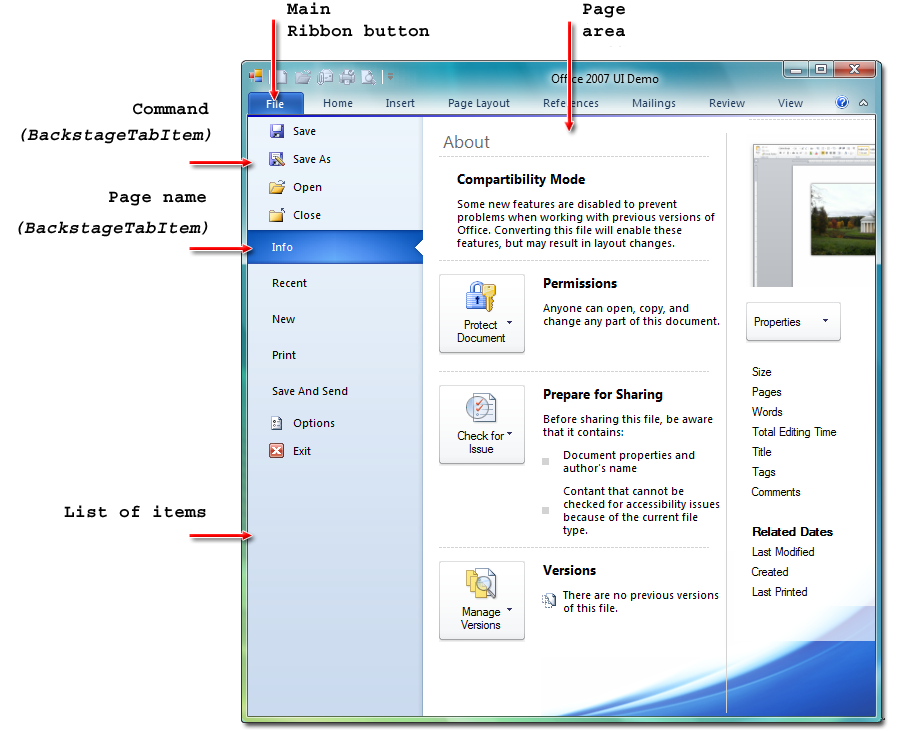
"Backstage View" interface was introduced in Microsoft® Office 2010. When you click Ribbon's main button, Ribbon Control gets minimized and opens a backstage view, which fills the entire client area.
This area is broken into two parts: a list of items at the left side and page area at the right side.
The list of items may contain commands and page names. When you click a command, backstage view is closed, returning the application to the previous state and the command is executed. When you click a page name, the corresponding page is displayed at the right side.
This page may contain any additional information related to the current page selected at the left side.
The page can be represented either by different panels layout or by BackstageTabControl.
2.BackstageTabControl
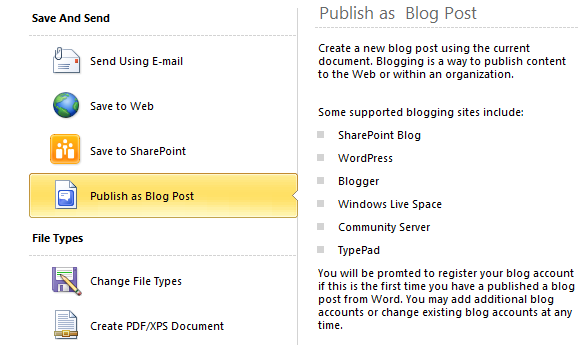
BackstageTabControl provides tab control feature that fits Microsoft® Office 2010-style backstage view.
The main area is broken into two parts: a list of buttons and labels at the left side and view area at the right side.
When you click a button, the corresponding view is displayed at the right side.
3. BackstageGallery
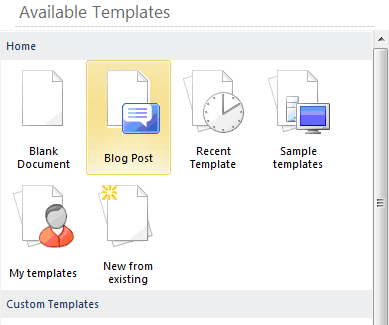
BackstageGallery control provides an easy way to create a list of elements.
For example, developer can use this control to display list of available Templates.
Each BackstageGallery can contain one or more group.
4. BackstagePinPanel
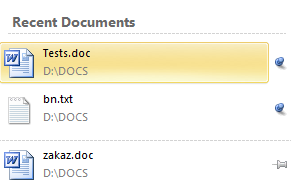
Each BackstagePinPanel contains one or more BackstagePinButton, which allow you to create PinPanels like "Recent Documents" Panel within Microsoft® Office 2010-style.
When you click pin current button will be re-sorted and change it's state. You can customize large images and pin images.
5. BackstageSmartPanel
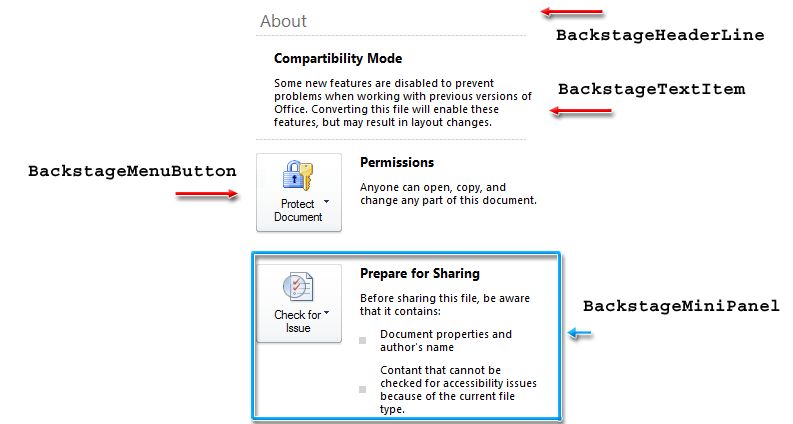
Each BackstageSmartPanel can contain one or more BackstageMiniPanels.
BackstageMiniPanels size and position will be calculated automatically according to the MiniPanel size to provide a shrink text feature on resizing.
6. BackstageButton
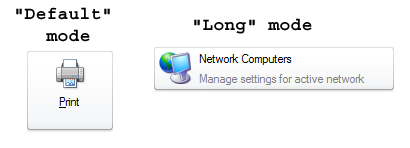
BackstageButton control provides simple button that fits Microsoft® Office 2010-style backstage view.
Each BackstageButton can execute command and have "Default" and "Long" mode.
7.BackstageMenuButton
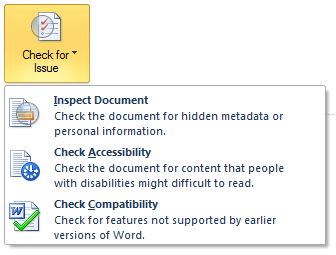
BackstageMenuButton control provides menu button that fits Microsoft® Office 2010-style backstage view.
Each BackstageMenuButton can contain collection of ToolbarMenuButtons and display them as popup menu.
8. BackstageHeadline
BackstageHeadline control extends Microsoft® Windows Forms Label control to provide visual painting that fits Microsoft® Office 2010-style.